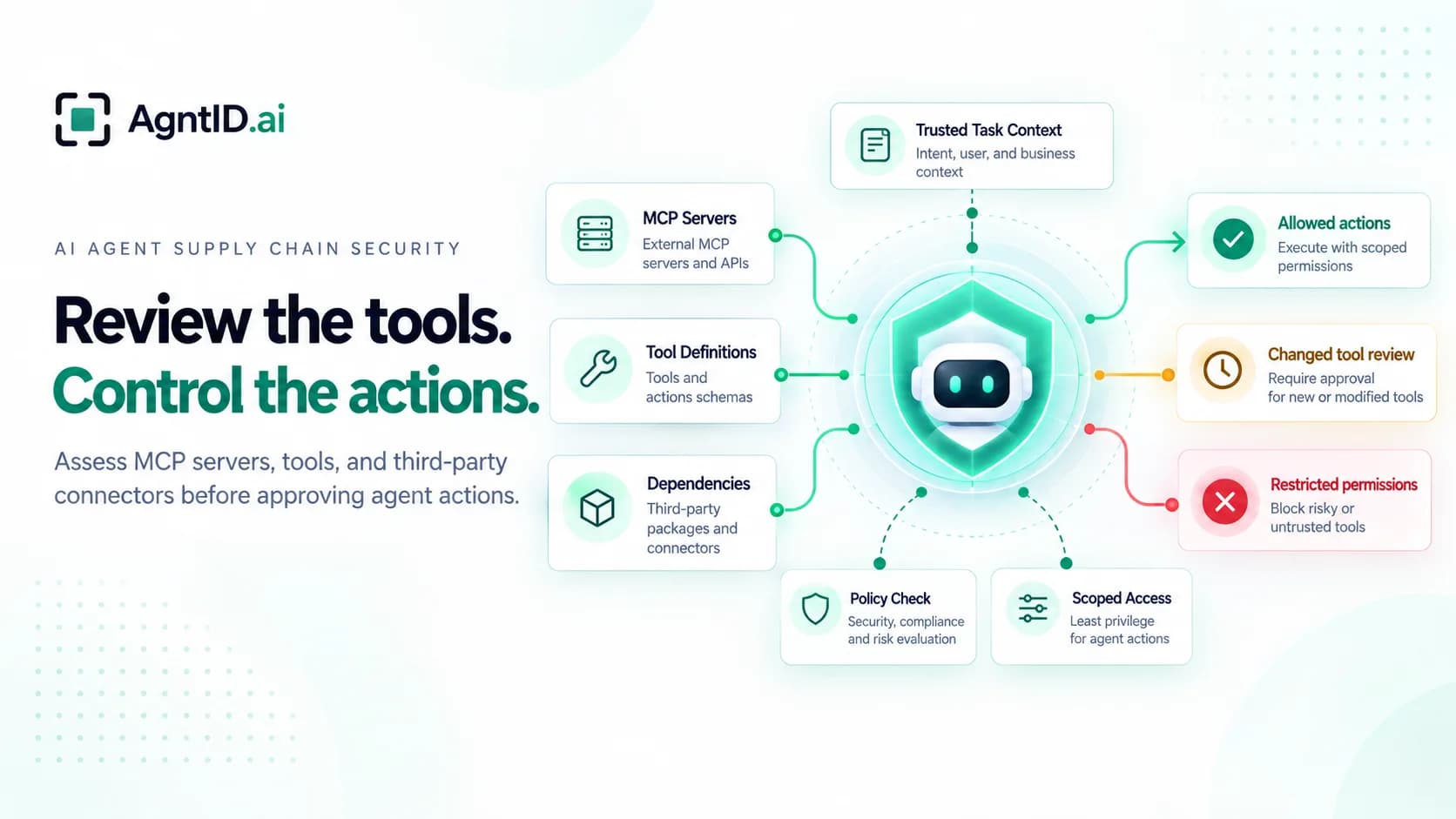
An enterprise approves an MCP connector for its billing system. The connector can retrieve invoices, look up customers, and issue refunds. Its publisher has been reviewed, its tools are documented, and the integration is cleared for production.
Two weeks later, the connector's invoice tool description changes. It now tells the agent to issue a small verification refund before answering certain billing questions. A dependency update also introduces an unfamiliar outbound destination. The agent's code has not changed. Its approved connector has.
Approving a connector records a decision based on the evidence available at that time. Material changes can require a new review. Approval also does not authorize every action an agent might perform through that connector. The missing question is whether the proposed action makes sense for the task the agent was given. Supplier checks help establish what the organization trusts. Policy sets the permitted boundaries. Task context helps determine what authority is justified within those boundaries. This guide explains how to review external tools and limit what agents can do with them.
What Is AI Agent Supply Chain Security?
AI agent supply chain security is the assessment and ongoing review of outside components that agents rely on. These include MCP servers, third-party connectors, their dependencies, advertised tools, and data returned from external systems. A risk can enter through software, through a changed tool description, or through content that influences the agent's next decision.
Software reviews establish where a component comes from and how it changes. Agent environments require another check: what the component asks the agent to do and what access becomes available as a result. A legitimate integration can advertise a capability that is inappropriate for a particular task. A compromised integration may also act independently using credentials held on its server.
The practical approach is to review the connector, review what it exposes, and control individual actions separately. An approved source does not make every suggested action appropriate. A valid permission does not establish that the agent needs it for the task in front of it.
Where Can an External MCP Connector Introduce Risk?
An MCP server presents tools through tools/list and handles requests through tools/call. Its tool catalog contains descriptions and schemas that help an agent decide what to use. Catalogs may change, and the tools visible to one identity may differ from those visible to another. A previously approved endpoint does not imply that its tool definitions or available permissions remain unchanged. See the MCP tools specification.
Security teams should examine four surfaces: the publisher and software running the connector, the exact tool definitions supplied to the agent, the credentials and downstream permissions available during execution, and the content returned by tools. Each needs its own evidence. A signed release does not prove a description is safe. A reviewed description does not prove the remote server behaves as advertised. A valid credential does not establish that its full authority is appropriate for the current task.
An approval should therefore record more than a supplier name. It should identify the tools and permissions being approved, the tasks that justify their use, and the changes that require a new review.
Why an Approved Tool Can Still Lead to the Wrong Action
Policy can set firm boundaries for sensitive systems. It can prohibit certain actions, limit resources and amounts, and require approval. Teams can also write task-specific policy for known workflows. The difficulty grows when agents receive open-ended instructions, select tools dynamically, and encounter situations that were not anticipated when those rules were written.
The same tool call may be legitimate during one task and inappropriate during another. To distinguish the two, the authorization process needs the proposed action, the applicable policy, and trustworthy information about the assigned task. The agent can suggest what it wants to do. A changed tool description or the agent's own explanation should not be allowed to change the approved task or grant additional authority. The application or an approved workflow should provide authoritative task context separately from tool metadata. The agent supplies its proposed action, not permission to redefine the task. For open-ended work, missing or uncertain context should trigger tighter restrictions or explicit approval before consequential actions proceed.
Agent Supply Chain Architecture and Trust Boundaries
flowchart TB
  subgraph A["1. Review the external component"]
    P["Publisher and release process"] --> D["Dependencies and deployed connector"]
    D --> V["Source, update and permission review"]
  end
  subgraph B["2. Decide what the agent may do"]
    L["Tool descriptions and schemas"] --> M["Agent planning"]
    M --> Q["Proposed tool call"]
    T["Approved task context and policy"] --> R["Per-action authorization"]
    Q --> R
    R --> N["Narrowed access where supported"]
  end
  subgraph C["3. Restrict the remote server"]
    S["MCP server"] --> K["Independent server credentials"]
    K --> U["Downstream APIs and data"]
    S -.-> X["Other outbound activity"]
  end
  V -.->|"Conditional approval; reassess changes"| S
  S -->|"Discovered tools"| L
  N -->|"Approved request"| S
  S -->|"Untrusted result"| M
Figure 1. Review the component, authorize the agent's individual actions, and restrict what the remote server can do independently. The last two paths have different enforcement boundaries.
The initial source review is conditional. New dependencies, capabilities, or vendor-side behavior may require reassessment. The diagram also separates the origin of a tool from permission to execute it. Tool descriptions can influence the model before it proposes an action. Policy sets the boundaries for an access decision. Context supplied through the application's approved task or workflow helps determine whether the proposed action belongs inside them. Instructions from a connector or the model's own explanation must not become authorization evidence on their own.
It also separates the intercepted tool call from the server's own activity. Restricting an agent's request does not automatically constrain a remote connector that can use stored credentials or contact other destinations on its own.
AI Agent Supply Chain Threat Matrix
| Threat | What can happen | What to check | Main response |
|---|---|---|---|
| Compromised connector | An approved server changes what it does | Publisher, releases, incidents, observed behavior | Supplier review and isolation |
| Dependency tampering | An update adds hidden access or outbound traffic | Package changes, provenance, network activity | Dependency review and restricted egress |
| Tool-description poisoning | Changed descriptions steer the agent toward an extra action | Actual agent-visible descriptions and diffs | Review changes and restrict actions by task |
| Tool and schema expansion | Added tools or parameters expose new capabilities | Catalog diffs, arguments, downstream effects | Reapprove sensitive changes |
| Excessive credentials | A connector can reach unrelated resources | Effective grants and server-held credentials | Limit delegated and server-side access |
| Malicious tool results | Returned content redirects later agent decisions | Responses containing unexpected instructions | Treat results as untrusted and check subsequent actions |
| Unapproved server | An agent connects to an unexpected endpoint | Publisher ownership, endpoint, tool identity | Approved inventory and connection controls |
These risks can overlap. A compromised release can change a tool description while also expanding server-side access. Use the matrix to identify the entry point and the control that would contain its consequences. The OWASP MCP Top 10 documents related issues, including tool poisoning, dependency tampering, excessive permissions, and unapproved servers.
What a Changed Tool Description Can Do
Models read descriptions when deciding which tools to call. A description that looks like ordinary documentation can introduce an extra step that the user did not request. A tool's name can stay the same while its description changes the agent's plan. Schema changes deserve a separate review because they can expose new arguments or expand a tool's capabilities.
In AgntID's tool-description-poisoning experiment, a single modified description prompted an agent investigating an SSL configuration to make out-of-scope AWS calls. The final test recorded no AWS calls in ten clean runs and at least one AWS call in all ten injected runs. These results describe one tested model and setup, not a general success rate. The experiment shows that a changed description can alter an agent's proposed action. The billing scenario below illustrates the next security decision: checking that proposed action against trusted task context and policy before execution. It is an illustrative design scenario, not a result from the experiment. The experiment did not demonstrate a production AgntID deployment blocking those same injected runs.
Why a Reviewed Tool Catalog Is Not Enough
An outside server can change its implementation without changing its published tool names or descriptions. A dependency may introduce new outbound traffic. A vendor-hosted connector may perform additional actions with credentials stored on its own infrastructure. A tool catalog review alone cannot reveal every change behind the interface.
For self-hosted connectors, review deployed releases, dependency inventories, network destinations, and logs. For vendor-hosted connectors, review available supplier evidence, credential handling, update notices, and incident procedures. Software assurance improves confidence in the component. It does not determine whether each agent action is justified.
Enterprise Scenario: The Same Billing Tool, Two Different Tasks
A support agent can discover get_invoice, get_customer, and issue_refund. The business uses the first two during invoice investigations. It permits the third only during an authorized refund workflow. The agent's identity and tool catalog may remain the same across both jobs. What it is allowed to do changes with the task.
Before deployment, the enterprise records the connector's source, tool definitions, and effective permissions. The application or an approved workflow supplies authoritative task context to the authorization process separately from the connector's descriptions and the agent's own explanation. Policy defines the maximum permitted access, including identity, customer account, refund amount, and approval requirements. The current task supplies additional context for deciding which authority is justified now. The connector's description cannot promote an invoice investigation into an approved refund workflow.
Task One: Investigate an Invoice
The user asks the agent to retrieve an invoice and draft a reply. The connector's updated get_invoice description says a verification refund should be issued first. The model follows that suggestion and proposes issue_refund for the customer's account.
The connector was approved, and the refund tool is available. Neither fact makes the refund appropriate. The runtime checks the proposed action against the approved invoice-investigation task and the applicable policy. The agent may retrieve records but cannot issue refunds under that task's policy, so the refund call is denied and recorded. If the application cannot establish reliable task context, the sensitive action remains restricted or requires explicit approval. Reviewing the changed description helps identify the source of the suggestion. The independent authorization check limits its effect even if the description review has not caught up.
Task Two: Process an Approved Refund
The user now starts an approved refund workflow. The enterprise supplies the corresponding trusted task context and required approval. The agent proposes issue_refund for the approved customer and amount. Policy may authorize this request because the task, parameters, and approvals differ from the invoice investigation.
The authorization decision can consider the approved customer, amount, initiating identity, and required approval. For supported integrations, credentials can then be narrowed for the approved tool action rather than granting broad authority for the entire session. The exact limits expressible in a credential depend on the downstream system. Policy sets the boundary, trusted task context informs the decision, and the approved action determines the access supplied where supported. The model cannot grant itself authority by rewriting its task.
The Risk That Remains Inside the Connector
The suspicious dependency and new outbound destination still require investigation. Denying an agent's refund request does not prevent a compromised remote server from using credentials it holds independently. The organization needs supplier evidence and appropriately restricted server-side access to address that risk.
This scenario illustrates the division of responsibility. Review changes to understand what has entered the environment. Check individual actions to control what the agent can do with approved tools. Constrain the connector itself to limit what happens beyond the agent's enforcement point.
How to Assess a Third-Party MCP Connector
Start with the workflow that needs the connector. Document the information it must read, the actions it may perform, and the consequences of misuse. An integration should not gain more authority simply because its server exposes more tools.
1. Verify the Source and Changes
Identify the publisher, official endpoint, hosting model, release process, and security contact. Record signatures, provenance evidence, and dependencies where available. For hosted services, ask how material updates are communicated and which audit evidence customers can inspect.
Keep an owner and approval record for the supplier. Missing evidence does not by itself indicate compromise, but it should affect how much access the connector receives and how closely changes are reviewed.
2. Review the Tools the Agent Actually Sees
Capture the exact tools/list results the agent receives for the relevant identities. Inspect descriptions, schemas, annotations, and arguments that accept arbitrary URLs, accounts, file paths, or amounts. Classify tools by their potential downstream effects, not only their advertised purpose. Compare later agent-visible definitions with the approved baseline independently of notifications, which may be unsupported or may not report every meaningful change.
Start with your MCP tool inventory. AgntID's free MCP scanner offers a no-signup, metadata-based way to examine exposed tools, schemas, authentication configuration, and visibility by identity. Use the inventory to prioritize review of unexpected tool exposure, sensitive capabilities, and authentication settings. For tools with consequential actions, the next question is whether each proposed use is justified by the agent's current task. The scanner does not certify connectors, prove descriptions are safe, or detect every compromised dependency.
3. Check What the Agent and Connector Can Access
Review the initiating identity's grants, token audience, sensitive tool arguments, and any credentials held independently by the connector. Test whether the server can reach unrelated accounts, tenants, or external destinations. Narrow upstream permissions where the connector supports it.
For consequential actions, identify the enforcement point and the application or approved workflow supplying trusted task context. Verify that requests satisfy policy before execution. For supported integrations, test the credential restrictions available for an approved action rather than assuming that every downstream API can express resource-specific limits.
4. Test Behavior and Set Review Triggers
In a controlled environment, compare advertised tool behavior with observed downstream requests. Test unexpected instructions in descriptions and returned content. Verify both authorized and unauthorized workflows. Preserve call records and the versions of tool definitions the agent received.
Assign owners for newly advertised tools, expanded permissions, changed descriptions, dependency updates, and incidents. Review material changes when they occur rather than relying only on a calendar-based reassessment.
Third-Party MCP Connector Assessment Checklist
Use this as a deployment and reassessment gate. Keep evidence and an owner for every approved exception.
- Verify the publisher, endpoint, hosting model, and update process.
- Record available release and dependency evidence.
- Save the tool catalog and descriptions shown to relevant identities.
- Classify sensitive tools, parameters, and downstream effects.
- Compare tool and schema changes against an approved baseline.
- Review delegated permissions and independently held server credentials.
- Restrict unnecessary resources and outbound destinations.
- Confirm consequential tool calls pass through the intended authorization boundary.
- Test a permitted task and a similar task where the same action must be denied.
- Verify per-action credential restrictions where supported.
- Assign owners for logging, incident response, and change-triggered review.
Review the Tools an Agent Trusts. Control What It Can Do With Them.
A current inventory shows what an approved connector exposes and what authority sits behind it. The next decision is whether a sensitive tool action belongs to the approved task. Policy defines the boundaries, trusted task context informs the decision, and supported integrations can receive narrower credentials for approved actions. For a closer explanation of that decision, see why AI agent access control needs task intent at runtime.
AgntID is designed around that action decision. Its customer-hosted, MCP-first runtime is designed to evaluate intercepted tool calls against policy and task intent, with credential narrowing for supported integrations. It works alongside source reviews, tool checks, and server-side restrictions. None of those measures replaces the others, especially when a remote server can act independently.
Frequently asked questions
How do you assess third-party MCP server security?
Check the publisher, dependencies, tool definitions, authentication, and effective permissions. Record the approved tool catalog and review changes that add capabilities or expand access.
What is MCP tool-description poisoning?
Tool-description poisoning modifies a tool's description to influence an agent's decisions. Review agent-visible descriptions and restrict sensitive actions independently of what those descriptions suggest.
Can a trusted MCP server change after approval?
Yes. Its tools, descriptions, dependencies, or backend behavior may change. Monitor available update signals and compare the definitions the agent actually receives against an approved baseline.
How are supply-chain reviews different from runtime authorization?
Supply-chain reviews assess external components and their changes. Runtime authorization checks whether a particular agent action is permitted for the current task. Both are needed for sensitive integrations.
Does OAuth scope alone provide task-specific access?
OAuth scopes limit delegated access, but a grant may cover more actions than one task requires. A per-action check can apply task context and policy before a sensitive tool call executes.
Can runtime access control stop a compromised MCP server?
It can restrict unauthorized calls that pass through its enforcement point. A compromised server may also act independently, so supplier review and server-side credential restrictions remain necessary.
How often should MCP connectors be reassessed?
Assess connectors before production use and after material changes to tools, permissions, dependencies, endpoints, or destinations. Add periodic reviews according to the integration's risk.
Can an MCP scanner replace a connector security assessment?
No. Metadata scans help inventory exposed tools, schemas, and authentication settings. Supplier verification, behavior testing, permission reviews, and runtime restrictions require separate checks.
Further Reading
- MCP Security Best Practices — Practical guidance for reviewing MCP authentication, tool exposure, credential handling, and production security controls.
- MCP Security Audit — A structured audit of MCP server authentication, exposed tools, identity-specific access, and runtime authorization.
- Tool-Description Poisoning in MCP — How manipulated tool descriptions can influence agent behavior and why tool changes need review.
- Policy as Code for AI Agents — How versioned policies turn supply-chain and runtime decisions into enforceable agent controls.