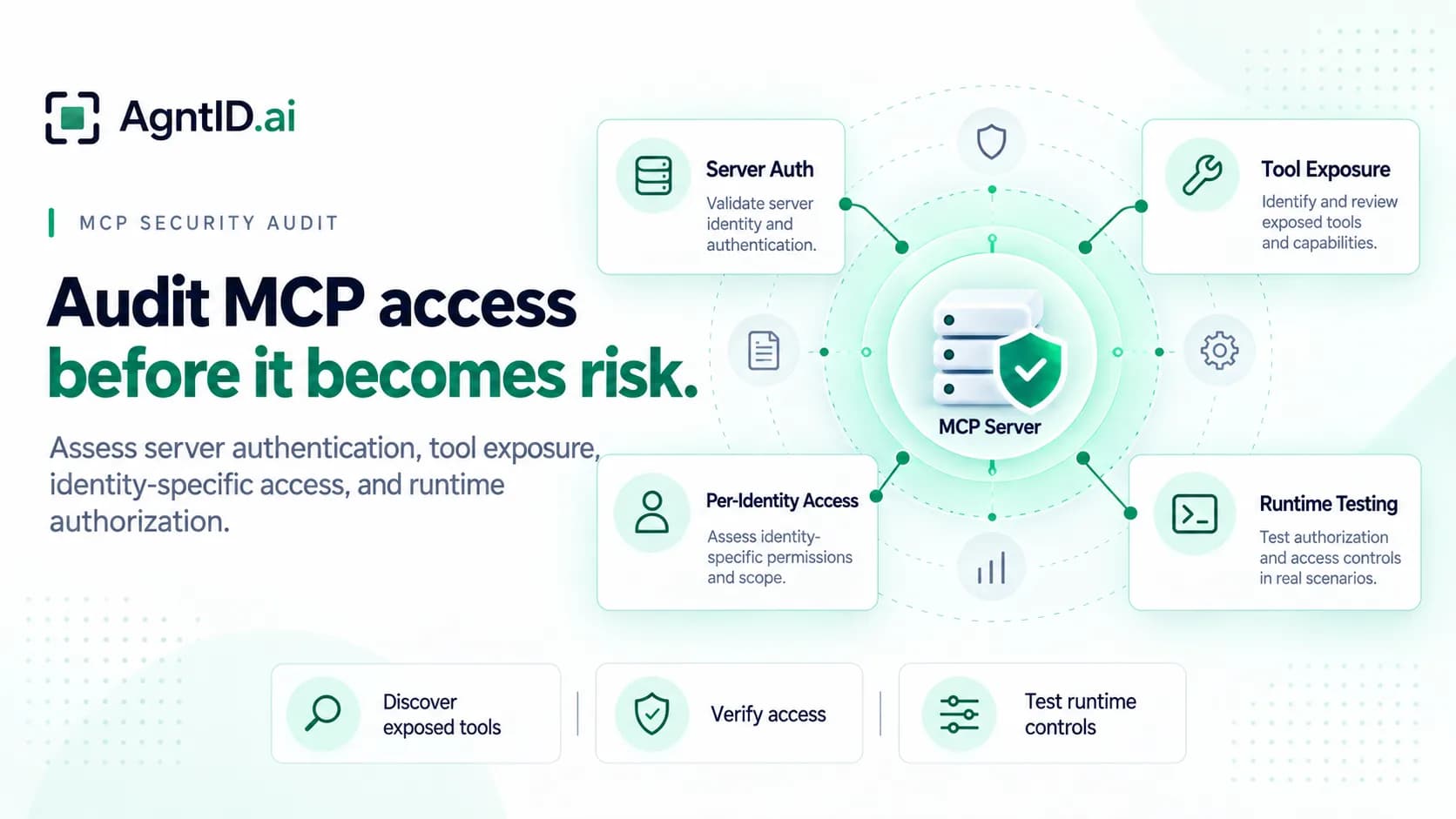
MCP Security Audit: How to Assess Server Authentication, Tool Exposure, and Access Risks
An engineering agent connects to an MCP server that provides access to application logs, deployment pipelines, and a secrets manager. The agent authenticates successfully and discovers the available tools. Its assigned task is to investigate an authentication regression and prepare a fix for review.
During the investigation, the agent proposes rotating a production secret. The agent may have permission to access the secrets manager. The proposed action may even fall within its broader permissions. But does investigating an authentication regression justify rotating a production secret?
An MCP security audit should help answer that question. It should establish what an agent can access, whether its current task justifies a proposed action, and what permissions the action requires.
This guide provides a six-step MCP security assessment methodology, including a tool-inventory example, risk-classification matrix, audit checklist, and sample assessment report.
What Is an MCP Security Audit?
An MCP security audit is a structured assessment of how Model Context Protocol servers authenticate clients, expose tools, and control access to connected systems. It helps security teams identify unexpected tool exposure, investigate identity-specific permissions, and determine which actions require additional authorization testing.
MCP allows AI agents to discover and use tools through a standard protocol. Those tools may retrieve information, modify records, access credentials, or initiate sensitive operations. An agent's ability to discover a tool does not establish that it can execute the tool or that every possible action is appropriate.
An effective audit examines three questions: what can the agent discover, what actions can it execute, and what authority does its current task justify?
This workflow focuses on authentication, tool exposure, and access restrictions. A broader MCP security assessment may also examine malicious tool descriptions, prompt injection through tool outputs, server supply-chain risks, and confused-deputy attacks.
Metadata Findings and Runtime Findings Are Different
MCP security assessments typically begin with server configuration and tool metadata. Tool names, descriptions, input schemas, and annotations can reveal sensitive capabilities and identify areas requiring investigation.
However, metadata inspection cannot establish whether every authorization control works correctly. A tool that exposes a sensitive operation may enforce strict permissions when called. A tool with a harmless description may still permit access to sensitive resources.
Separate observed findings from results confirmed through controlled testing.
| Assessment area | What inspection establishes | What requires further testing |
|---|---|---|
| Server configuration | Endpoints, transport, and authentication settings | Whether authentication is enforced correctly |
| Tool discovery | Advertised tools and schemas | Whether discovered tools can be executed |
| Identity-specific access | Tools visible to each tested identity | Whether each identity can execute sensitive actions |
| Sensitive capabilities | Potentially consequential operations and parameters | Whether resource and argument restrictions work |
| Task-specific access | Intended task boundaries | Whether authorization accounts for the current task |
| Credential scope | Configured credential permissions | What authority is available during execution |
This distinction helps security teams prioritize investigations without reporting potential exposure as a confirmed authorization failure.
Step 1: Build Your MCP Server Inventory
Start by identifying the MCP servers your organization operates or connects to. Review agent configurations, MCP client settings, internal documentation, deployment records, and approved integrations. Include development, staging, and production environments.
For each server, record its owner, environment, transport, connected applications, downstream systems, and authentication approach. Identify whether the server runs locally, inside your infrastructure, or as an externally hosted service.
Consider the following illustrative inventory.
| MCP server | Environment | Connected systems | Authentication |
|---|---|---|---|
engineering-mcp | Production | Source control, CI/CD, application logs | OAuth |
secrets-mcp | Production | Secrets manager | OAuth |
support-mcp | Production | CRM, ticketing | OAuth |
local-dev-mcp | Development | Local filesystem, development tools | Local credentials |
Document systems excluded from the assessment and explain why. An audit covering only centrally managed servers may overlook MCP integrations configured directly by individual development teams.
The resulting inventory establishes the scope for authentication testing and tool discovery.
Step 2: Inspect MCP Server Authentication
Authentication determines which clients or identities can establish access to protected MCP servers. Review the authentication configuration before examining the tools those servers expose.
MCP authorization is optional at the protocol level. For protected HTTP deployments using MCP's authorization framework, inspect protected resource metadata, authorization-server configuration, requested scopes, and token audience settings. Confirm that the implementation follows the applicable protocol requirements. Local STDIO deployments require a different assessment because credentials are commonly supplied through the execution environment.
Configuration inspection is only the beginning. Use approved assessment identities to verify that protected servers reject missing, expired, invalid, and incorrectly targeted credentials.
| Authentication test | Expected behavior |
|---|---|
| Missing credentials | Protected request is rejected |
| Expired token | Request is rejected |
| Incorrect token audience | Token is rejected |
| Valid authorized identity | Permitted request succeeds |
| Identity without required access | Restricted operation is denied |
Record the configuration findings separately from the results of these tests. Successful authentication establishes that a client has satisfied the server's authentication requirements. It does not establish that every action available through that connection is appropriate.
For protected HTTP servers using OAuth, verify that tokens are issued for the intended MCP resource and that the server validates their audience. Existing credentials should only be used with resources for which they are valid. An MCP server must not accept or forward unrelated bearer tokens to downstream services.
Step 3: Discover Exposed MCP Tools
Once the server inventory and authentication assessment are complete, examine the capabilities each server advertises.
Connect using approved assessment identities and collect the tool catalog through MCP's tools/list operation. Record tool names, descriptions, input schemas, available annotations, and declared constraints. Retrieve all pages when discovery results are paginated.
Classify tools according to their potential impact. Pay particular attention to capabilities that modify production systems, access credentials, export sensitive information, or change permissions.
Example MCP Tool Inventory
Consider the engineering environment introduced earlier.
| Tool | Advertised capability | Sensitive parameters | Potential impact |
|---|---|---|---|
read_logs | Retrieve application logs | Environment, service | Sensitive information exposure |
get_deployment | Inspect deployment information | Environment, deployment ID | Operational visibility |
deploy_service | Deploy an application | Environment, version | Production modification |
get_secret_metadata | Retrieve secret metadata | Secret ID | Sensitive information exposure |
rotate_secret | Rotate an application secret | Secret ID, environment | Production authentication changes |
The inventory identifies rotate_secret as a sensitive capability. It does not establish which agents can successfully call the tool or whether existing authorization controls restrict its use.
Inspect schemas for unrestricted resource identifiers, broad environment selections, and parameters that change an action's sensitivity. Treat tool annotations as descriptive hints rather than independently verified evidence of safe behavior.
Use a Scanner to Build the Initial Inventory
Collecting this information manually becomes difficult as MCP deployments expand across teams and environments.
AgntID offers a free MCP scanner designed to help identify exposed tools, schemas, authentication configuration, and identity-specific tool visibility. It can support the initial inventory and help identify capabilities that warrant closer investigation.
For the engineering example, discovering rotate_secret would give the security team a reason to investigate its exposure and authorization requirements. Discovery alone would not establish whether the engineering agent could perform an unauthorized rotation.
Use the scanner to collect initial assessment evidence. Review the resulting inventory, identify sensitive capabilities, and determine which tools need further testing. Identity-specific comparisons depend on the identities and access context available during the assessment.
Use approved assessment credentials and follow your organization's requirements for handling internal server metadata.
Build your initial MCP tool inventory with AgntID's free scanner.
Step 4: Compare Tool Access Across Identities
Tool exposure becomes more meaningful when you examine which identities can discover each capability.
Repeat discovery using representative assessment identities with different responsibilities. Compare the observed results against the organization's intended access policy.
For the engineering environment, consider three identities: an engineering investigation agent, a deployment automation agent, and an administrative automation identity.
| MCP tool | Engineering agent | Deployment agent | Admin automation |
|---|---|---|---|
read_logs | Expected | Expected | Expected |
get_deployment | Expected | Expected | Expected |
deploy_service | Restricted | Expected | Restricted |
get_secret_metadata | Restricted | Not expected | Expected |
rotate_secret | Restricted | Not expected | Expected |
This table represents an illustrative intended access policy. The assessment should compare it with the tools each identity can discover.
Unexpected visibility warrants investigation, but it does not automatically establish an authorization failure. Some MCP servers advertise the same tools to multiple identities and enforce permissions when a tool is called.
Distinguish between a tool being visible, an identity being permitted to call it, and a specific action being authorized.
Step 5: Classify MCP Access Risks
After mapping identity-specific access, classify findings according to potential impact and the evidence available.
A production credential-rotation tool deserves closer investigation than a tool that retrieves non-sensitive deployment information. However, discovering that tool and successfully executing an unauthorized rotation are different findings.
Use the following matrix as an illustrative starting point. The classifications represent provisional priorities rather than confirmed vulnerability severity. Adjust them according to the affected environment, business impact, exploitability, and existing controls.
| Provisional priority | Example finding | Required evidence | Next action |
|---|---|---|---|
| Critical | Unauthorized production credential rotation | Confirmed controlled execution | Immediate containment |
| High | Unauthorized access to sensitive records | Confirmed access test | Restrict access and remediate |
| Medium | Unexpected visibility of a sensitive tool | Identity-specific discovery | Prioritize authorization testing |
| Low | Non-sensitive tool metadata differs from approved inventory | Metadata comparison | Review configuration |
Keep severity separate from verification status. Record each finding as observed, verified, or pending validation. Pending validation is an evidence status, not a severity classification.
A suspected issue may have serious potential consequences even when the available evidence is insufficient to confirm an authorization failure.
Update classifications as testing produces additional evidence. Document the assumptions behind each finding and identify which controls were tested.
Step 6: Test Runtime Authorization, Task Context, and Credential Scope
Runtime testing establishes whether authorization controls work when an agent attempts an action. It should also examine whether approved actions receive more authority than they require.
For sensitive tools, test whether access depends on the requesting identity, target resource, proposed operation, relevant parameters, and required approvals. Include task context where the organization's intended access model requires it.
The engineering example illustrates why this matters.
Same Agent, Same Tool, Different Tasks
Consider two controlled assessment scenarios involving the same engineering agent and production secrets manager.
| Assessment | Scenario A | Scenario B |
|---|---|---|
| Agent | Engineering agent | Engineering agent |
| Task | Investigate an authentication regression | Rotate an approved compromised secret |
| Proposed action | Rotate a production secret | Rotate the same production secret |
| Target | Production secrets manager | Production secrets manager |
| Expected decision | Deny or require additional authorization | Allow if policy conditions and approvals are satisfied |
The proposed action, target, and identity remain unchanged. The assigned task changes.
In the first scenario, investigating an authentication regression may justify reading logs and inspecting configuration. Rotating a production secret could exceed the authority required for that investigation.
In the second scenario, the assigned task explicitly concerns rotating an approved compromised secret. The operation may be justified if the organization permits it and all required approvals are satisfied.
The assessment should examine whether existing controls produce the intended result in both scenarios. It should also verify how the authorization system receives and validates task context.
Verify the Source of Task Context
Task context is useful only when the authorization system can establish what the agent was legitimately assigned to accomplish.
Identify where the assigned task originates and how it reaches the authorization system. Determine whether it comes from a trusted application or workflow, whether the agent can modify it, and whether changes require additional verification.
An agent's own description of its task should not automatically grant additional authority. Task context must remain subject to policy, and an apparently legitimate task must not override prohibited actions.
When comparing the two scenarios, keep the agent identity, target resource, proposed action, parameters, and applicable policy consistent. This helps establish whether differences in authorization results come from the assigned task rather than unrelated conditions.
Does an Approved Action Receive More Authority Than It Needs?
Authorization testing should continue after an action is approved.
Consider the second scenario. The engineering agent receives approval to rotate one compromised production secret. Does the execution process receive authority limited to that secret and operation? Or does it receive credentials that permit broader access to the production secrets manager?
Both approaches may allow the approved rotation to succeed. They provide different levels of access if the agent or execution process subsequently attempts another action.
Inspect the permissions available during execution. Where the downstream system supports sufficiently narrow scopes, determine whether the credentials are restricted to the approved operation.
Where that granularity is unavailable, examine which additional enforcement controls prevent access beyond the approved request. Credential restrictions and other enforcement controls should be assessed together.
For the engineering example, determine whether the agent can rotate only the approved secret or whether the available authority also permits unrelated credential operations.
Also distinguish between the frequency of authorization decisions and the lifecycle of credentials. A system can evaluate every tool call independently while reusing an appropriately scoped credential across multiple approved calls. The audit should establish when credentials are issued, whether they are reused, which restrictions apply, and when they expire or are revoked.
Record the Authorization Decision
For each controlled test, capture the identity, assigned task, proposed action, target resource, relevant arguments, expected decision, observed result, and available authorization evidence.
Where supported, record the policy version, source of task context, approval status, and credential scope associated with the request. These records help establish whether a control denied an operation for the intended reason and whether an approved action received appropriately restricted permissions.
Use staging environments, test resources, and approved assessment identities for potentially destructive operations.
The result should answer two questions: can an agent perform an action that its current task does not justify, and does an approved action receive more authority than it requires?
MCP Security Audit Checklist
Use this checklist to track assessment coverage and identify outstanding work.
| Assessment requirement | Status |
|---|---|
| Inventory MCP servers and connected applications | Pass / Fail / Pending |
| Identify server ownership and deployment environments | Pass / Fail / Pending |
| Review authentication configuration | Pass / Fail / Pending |
| Test authentication enforcement | Pass / Fail / Pending |
| Inventory exposed MCP tools and schemas | Pass / Fail / Pending |
| Identify sensitive capabilities | Pass / Fail / Pending |
| Compare tool visibility across identities | Pass / Fail / Pending |
| Verify authorization for sensitive operations | Pass / Fail / Pending |
| Test task-specific restrictions where required | Pass / Fail / Pending |
| Verify the source and integrity of task context | Pass / Fail / Pending |
| Inspect the authority available to approved actions | Pass / Fail / Pending |
| Review credential scope, reuse, and expiration | Pass / Fail / Pending |
| Review approval and credential restrictions | Pass / Fail / Pending |
| Document findings and supporting evidence | Pass / Fail / Pending |
| Assign remediation owners and verification actions | Pass / Fail / Pending |
Keep the completed checklist alongside the assessment evidence. Record untested controls as pending rather than treating missing results as successful checks.
Sample MCP Security Assessment Report
The assessment report should connect observed exposure to authorization testing and identify outstanding risks.
The following example is illustrative. It represents a hypothetical controlled assessment of the engineering environment described throughout this guide. It is not an actual AgntID scanner report or product-test result.
Assessment scope: Engineering and secrets MCP servers
Environment: Staging with simulated production resources
Assessment identity: Engineering investigation agent
Methods: Metadata inspection, identity comparison, and controlled runtime testing
| Finding | Observation | Evidence | Status | Next action |
|---|---|---|---|---|
| F-01 | Protected server rejected requests without credentials | Authentication test | Verified | Retain test evidence |
| F-02 | Engineering agent could discover rotate_secret | Tool inventory | Observed | Review intended visibility |
| F-03 | An unauthorized rotation targeting a simulated production secret was denied | Controlled invocation | Verified | Confirm additional restrictions |
| F-04 | Authorization response to different task contexts remains untested | Assessment gap | Pending | Execute paired task tests |
| F-05 | Credential scope for approved rotations was not examined | Assessment gap | Pending | Inspect execution permissions |
The hypothetical report confirms that one tested unauthorized rotation was denied. It does not establish that every inappropriate rotation would be denied or that the authorization system considers task context.
What a Completed Assessment Should Establish
The outstanding tests should determine whether the system correctly distinguishes between the investigation and approved remediation scenarios. They should also establish whether an approved rotation receives only the authority required for the specified secret.
The following table illustrates the expected results of a completed assessment. These are hypothetical outcomes, not observed AgntID results.
| Assessment | Illustrative result | Evidence to collect |
|---|---|---|
| Investigation task requests credential rotation | Denied | Authorization decision and applicable policy |
| Approved remediation task requests the same rotation | Allowed after satisfying required conditions | Authorization decision and approval evidence |
| Approved action receives execution credentials | Access restricted to the approved operation | Credential inspection and enforcement records |
| Agent attempts an unrelated secret operation | Denied | Enforcement decision and execution logs |
This example demonstrates how the assessment connects task context, authorization, and execution permissions. Actual implementations may reach the same security outcome through different combinations of credential restrictions and enforcement controls.
Record actual outcomes alongside these expectations when testing is complete. If the results differ, investigate whether the issue lies in policy configuration, task-context validation, credential scope, or enforcement.
Assign remediation owners according to the observed results. Keep unverified assumptions separate from confirmed findings.
Where AgntID Fits After the Audit
An MCP security audit helps organizations identify exposed capabilities and investigate whether access restrictions match their intended security policies.
However, discovering that an agent can access a sensitive tool raises two additional questions. Does the current task justify the proposed action? If the action is approved, what authority should it receive?
AgntID addresses these questions through runtime access-control enforcement. Its approach combines policy, optional task-intent evaluation, authorization decisions for individual tool calls, and scoped access for approved actions.
From Policy and Task Intent to Narrowed Access
Policy determines the boundaries within which an agent can operate. Where task-intent evaluation is enabled, AgntID also considers what the agent is trying to accomplish when evaluating a proposed action.
AgntID evaluates individual tool calls before execution. Approved actions can receive appropriately scoped access through the configured credential model. Credential issuance, reuse, and available restrictions depend on the integration and deployment configuration.
Consider the engineering agent attempting to rotate a production secret. If the action falls outside policy, it cannot proceed. Where task-intent evaluation is enabled, AgntID can also evaluate whether the current task justifies the requested action and apply the configured authorization or approval requirements.
When an action is approved, the configured credential model determines what authority is available during execution. Credential handling must preserve the authentication requirements of the connected systems.
This connects the authorization decision to the permissions available during execution without assuming that every tool call requires a newly issued credential or that every downstream system supports identical restrictions.
Enforcement Within Your Existing Infrastructure
AgntID's customer-hosted runtime works alongside existing identity systems, tools, and MCP servers. Organizations can apply runtime access controls without replacing their existing infrastructure.
Its runtime includes an MCP proxy that evaluates tool calls and enforces access before execution. Security and infrastructure teams retain control of the enforcement environment.
The free scanner and runtime product serve different purposes. The scanner helps teams understand exposed tools and identify areas for investigation. Runtime access control helps enforce the boundaries established through policy and, where configured, task intent.
For a deeper explanation, see Why AI Agent Access Control Needs Task Intent at Runtime.
From Tool Visibility to Just-for-Task Access
An MCP security audit establishes what agents can access, which actions their assigned tasks justify, and what authority approved actions receive.
Start with server and tool discovery. Compare identity-specific access, test sensitive operations, and inspect the permissions available during execution. Where relevant, verify whether authorization decisions account for the task an agent was assigned.
Knowing what an agent can access is the starting point. Determining what it should be allowed to do, and what authority it needs to do it, completes the assessment.
Run AgntID's free MCP scanner to create your initial tool inventory and identify which access risks need further investigation.
Frequently asked questions
What is an MCP security audit?
An MCP security audit assesses server authentication, exposed tools, identity-specific access, and authorization controls to identify potential security risks.
How do you audit an MCP server?
Inventory the server, inspect authentication, discover exposed tools, compare identity-specific access, classify sensitive capabilities, and test authorization.
What does an MCP security scanner detect?
An MCP security scanner may identify exposed tools, schemas, authentication configuration, and other metadata. Runtime testing is required to confirm authorization failures.
Is MCP authentication enough to secure agent access?
No. Authentication establishes the connecting identity. Authorization determines which actions that identity can perform.
What is MCP tool exposure?
MCP tool exposure describes the capabilities a server advertises to a connecting client or identity through tool discovery.
Why should an MCP audit test task context?
Task-context testing checks whether authorization decisions reflect the work an agent has been assigned rather than relying only on its broader permissions.
Why should an MCP audit examine credential scope?
Credential-scope testing examines whether an approved action receives more authority than it requires and identifies any additional enforcement restrictions.
Which MCP tools should be tested first?
Prioritize tools that access credentials, export sensitive data, modify permissions, initiate financial operations, or change production infrastructure.
How often should organizations audit MCP servers?
Audit before production deployment and reassess when servers, sensitive tools, authentication settings, agent workflows, or access policies change.
How does AgntID support an MCP security audit?
AgntID's free scanner helps identify exposed MCP tools and authentication configuration. Its runtime product evaluates individual tool calls against policy, supports optional task-intent evaluation, and can provide scoped access for approved actions.
Further reading
- MCP Security Best Practices — Practical guidance for authentication, authorization, credential handling, and production MCP security.
- Runtime Access Control for AI Agents — How authorization decisions are enforced at the agent tool-call boundary before execution.
- Policy as Code for AI Agents — How versioned policy rules become enforceable controls for agent tool calls.