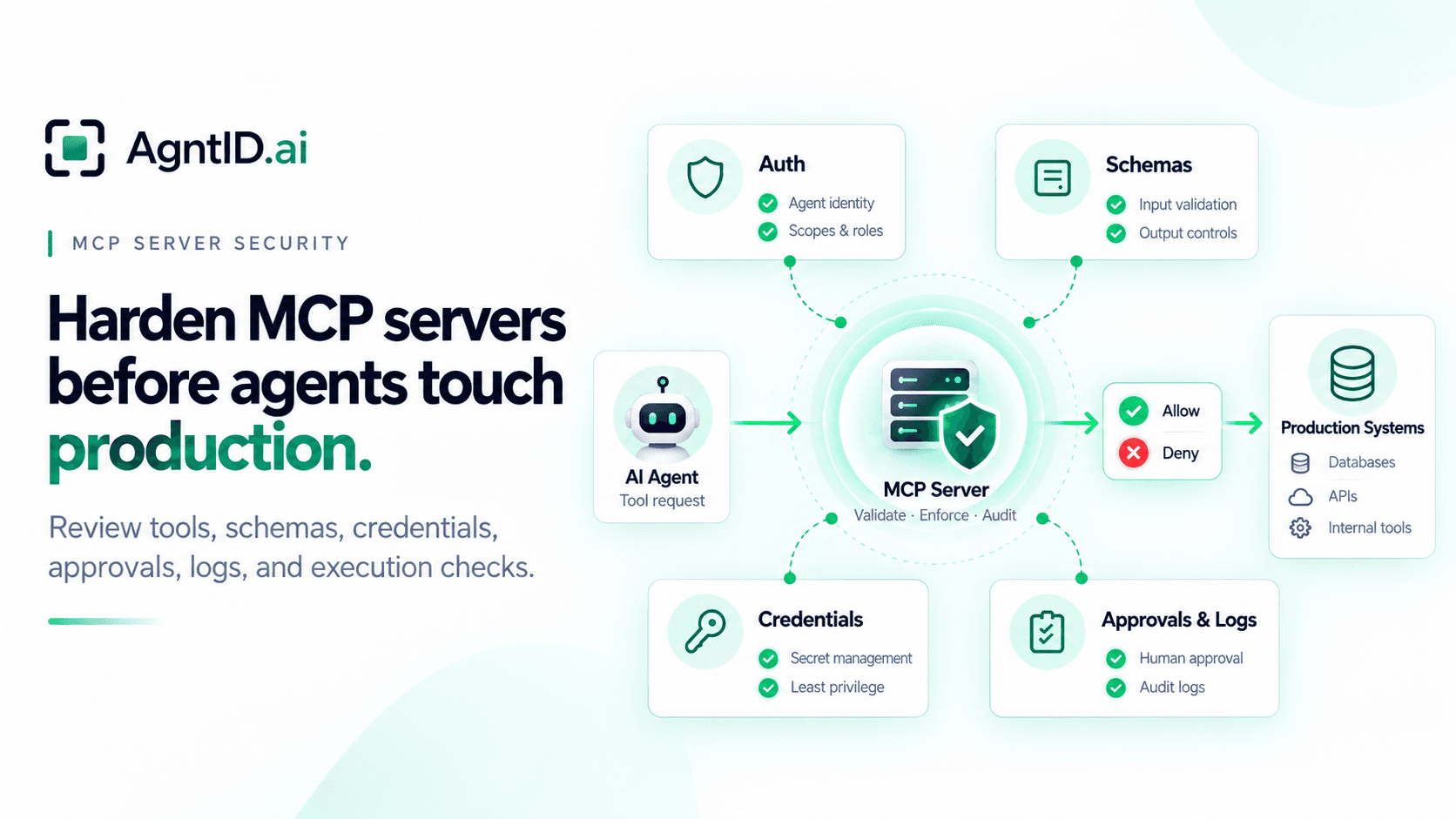
MCP Server Security: A Production Hardening Guide
An engineering team connects an AI agent to an internal MCP server. The first version exposes three read-only tools: search logs, retrieve deployment status, and summarize recent incidents. The server looks safe. It sits inside the company network. The agent authenticates successfully. The tools only retrieve information.
Two weeks later, the same MCP server adds a deployment rollback tool. Then it adds a secrets lookup tool for incident response. Then it adds a ticket update tool so the agent can close the loop after investigation. The server is still called an MCP server. But its risk profile has changed.
It now exposes production actions, accepts tool-call parameters, connects to sensitive systems, and may hold or pass credentials. A valid connection to the server no longer answers the real security question. The real question is whether the server should execute this tool, with these arguments, against this resource, for this task.
That is the MCP server hardening problem. MCP server security is not only about who can connect to the server. It is about which tools the server exposes, which tool calls the server executes, and what authority the server uses downstream. This guide focuses on the MCP server itself: exposed tools, tool schemas, server authentication, downstream credentials, process isolation, validation, approvals, logs, and runtime authorization.
What an MCP Server Exposes
An MCP server is not only an adapter. It exposes capabilities to agents, accepts tool-call requests, defines schemas that shape what arguments an agent can send, and brokers access to downstream systems. It may also run with credentials that are broader than the task the agent is performing.
The MCP tools specification defines tools as capabilities exposed by a server and invoked by models. Clients discover tools through tools/list and invoke them through tools/call. Tool definitions include names, descriptions, and input schemas that define expected parameters. In production, that gives every MCP server five security surfaces.
| Server surface | What to review | Why it matters |
|---|---|---|
| Tool catalog | Which tools the server exposes | The catalog defines the agent's visible action surface |
| Tool descriptions | Names, descriptions, annotations, and examples | These fields influence which tool an agent chooses |
| Tool schemas | Parameters, defaults, enums, and validation rules | Weak schemas allow broad or unexpected requests |
| Downstream access | APIs, databases, cloud services, and internal systems | The server may act with authority beyond the agent's task |
| Server runtime | Process permissions, network access, secrets, and logs | A compromised or over-permissioned server expands blast radius |
A production review should cover all five. Reviewing only authentication, tool discovery, or the agent prompt is not enough. The server is the point where tool availability turns into action.
MCP Server Production Readiness Test
Before an MCP server connects to production, the team should be able to answer three questions. What tools can this server expose to this agent? What can each tool do to downstream systems? What credential or authority does the server use when the tool runs?
If any answer is unclear, the server is not production-ready. A server that exposes a read-only documentation search tool has a different risk profile from a server that can rotate credentials, update tickets, export customer data, or deploy code.
A server that uses a narrow user token has a different risk profile from a server that uses a broad service account. The goal is not to make every MCP server heavy. The goal is to match controls to the server's actual production authority.
MCP Server Security Decision Matrix
Use this matrix before connecting an MCP server to real systems. It gives security, platform, and AI engineering teams a shared way to classify server risk before agents begin using the server in production.
| Server condition | Main risk | Required control |
|---|---|---|
| Server exposes read-only internal tools | Sensitive data exposure | Authenticate callers, restrict tool visibility, and log access |
| Server exposes write tools | Unauthorized changes | Validate arguments and authorize each action before execution |
| Server holds downstream credentials | Confused deputy risk | Scope credentials per tool, resource, and task where possible |
| Server accepts broad parameters | Unsafe execution path | Add server-side semantic validation |
| Server is reachable over HTTP | Token misuse or external abuse | Enforce OAuth, audience validation, TLS, and rate limits |
| Server runs locally with inherited access | Secret leakage | Limit environment variables, filesystem access, and network egress |
| Server emits detailed logs | Credential or data leakage | Redact secrets and log decisions without exposing sensitive values |
| Server supports destructive actions | High-impact execution | Require approval or step-up authorization before execution |
This matrix should be owned by the team operating the server, not only the team building the agent. The MCP server is now part of the production path. It needs the same discipline teams apply to APIs, internal services, deployment systems, and privileged automation.
Public, Private, and Local MCP Servers
Deployment mode changes the control surface. It does not remove the need for controls. A public MCP server needs internet-grade hardening: HTTPS, authentication for sensitive requests, token validation, rate limits, separated management routes, and monitoring for failed authentication, unusual call volume, and new downstream destinations.
A private MCP server still needs security controls. Internal reachability does not prevent over-broad tool exposure, compromised workloads, unsafe parameters, or misuse of server-held credentials. Private network placement reduces exposure. It does not authorize execution.
A local MCP server has a different problem: inherited access. A local server may receive environment variables, filesystem access, cloud credentials, SSH agent access, local tokens, browser sessions, and network reachability from the machine where it runs. If that server can reach production systems, it should be reviewed like production infrastructure.
For local MCP servers, review:
- Which environment variables the process can read.
- Which directories the process can access.
- Which network destinations it can reach.
- Which credentials it inherits.
- Whether the server can reach production systems from a developer machine.
Local does not mean safe. A local MCP server connected to production can still execute production actions.
Server Authentication Boundary
Every production MCP server should authenticate the caller before processing sensitive requests. The MCP authorization specification treats a protected MCP server as an OAuth resource server. Protected MCP servers publish OAuth protected resource metadata, which points clients to the authorization servers that can issue tokens for that resource.
A production MCP server should validate token signature, issuer, audience, resource indicator, expiry, scopes or authorization details, user or workload identity, and tenant or account context. Audience validation matters. A token issued for one MCP server should not work against another server only because the token is otherwise valid. Token validation should confirm that the token was issued for this MCP server, not only that the token is valid.
Production MCP servers should enforce authorization for every request. The model should never be the component deciding whether a user has access. Authentication answers who is calling the server. It does not answer whether this tool call should run. The server boundary must therefore include authentication, authorization, and execution checks.
Tool Catalog Review
The tool catalog is the server's action surface. Review the catalog like an API security team would review exposed endpoints. Every tool should have an owner, a downstream system, a permission model, and a clear production reason to exist.
Create an inventory with these fields.
| Field | What it captures |
|---|---|
| Tool name | The exact name exposed to the agent |
| Description | The model-visible description |
| Action class | Read, write, destructive, external, or privileged |
| Downstream system | The service, database, API, or workflow the tool reaches |
| Credential used | User token, service account, scoped token, or managed credential |
| Sensitive parameters | Resource IDs, environment, amount, destination, query, or file path |
| Allowed identities | Which users, agents, or workloads may see or call it |
| Approval rule | Whether the action requires approval or step-up authorization |
| Logging requirement | What the server must record for each call |
Remove generic tools where possible. A tool named run_command is hard to control, while restart_staging_service is easier to review. A tool named manage_ticket can hide too many actions, while add_internal_note_to_ticket has a clearer boundary. A tool named query_database creates risk unless the server also restricts tables, columns, rows, query shape, and result size.
Tool discovery should also be restricted. A server should not expose every available tool to every connected agent by default. Tool catalog filtering reduces the action surface before the agent selects a tool. With AgntID, the tools/list response can be filtered so each agent sees only the tools authorized for its identity, policy, and task context. Filtering does not replace server hardening. It reduces what the agent can discover and request.
Tool Schema Safety
Tool schemas are part of the security boundary. A schema defines what arguments the agent can send. A weak schema may accept broad strings, arbitrary objects, unrestricted paths, unknown fields, or dangerous defaults.
Review every input schema for required fields, type constraints, enum values, maximum lengths, allowed patterns, defaults, and unknown properties. Pay special attention to resource identifiers, environment selectors, destinations, amounts, file paths, and URLs. Reject unexpected parameters. Use strict schemas where possible. Avoid broad objects such as payload, metadata, or options unless the server validates their contents.
Then go beyond schema validation. A string can match a schema and still be unsafe. A repository name can be valid and still belong to the wrong organization. A file path can match a pattern and still attempt traversal. A customer ID can be well-formed and still belong to another tenant. A safe schema limits what the agent can ask for. Server-side validation decides whether the requested action is allowed.
Schema review should happen before the tool reaches production, and again whenever the server changes the tool catalog.
Downstream Credentials Inside the Server
The most important MCP server risk often sits behind the server. The server may authenticate the agent correctly and then call downstream systems using a broad service account. That creates a confused deputy problem. The agent appears limited, while the server acts with more authority than the task requires.
For every production tool, ask which downstream credential the tool uses, whether that credential is shared across tools or agents, whether it is tied to the initiating user, whether it can write when the tool only needs read access, and whether it covers more resources than the tool needs. Also check how long the credential lives, where it is stored, how it is revoked, and whether the server logs which credential path was used.
Avoid using one standing credential for every action. Prefer credentials scoped to the tool, target resource, action, and time window. This is where server-only security starts to hit its limit. A hardened server may still hold a credential that is broader than the current tool call. A policy engine may approve access to the server, but the downstream credential may still carry more authority than the task requires. The access decision needs to happen close to execution.
This is where server hardening runs out. Hardening decides what the MCP server should expose and how the server should be protected. It does not always decide whether this agent should make this exact tool call right now, against this exact resource, with this exact credential path.
Server-Side Validation
Do not delegate validation to the agent. The agent may choose the wrong tool. The user prompt may be incomplete. Tool results may influence the next action. A valid schema does not prove the action is appropriate.
A production MCP server should validate the final action before execution.
| Validation area | Example check |
|---|---|
| Identity | Is this caller allowed to request this tool? |
| Task | Does this action match the task the agent is performing? |
| Resource | Is the target resource allowed for this identity and task? |
| Tenant | Does the resource belong to the same tenant or account? |
| Environment | Is production allowed for this action? |
| Arguments | Are parameters within allowed bounds? |
| Destination | Is the output or external target approved? |
| Timing | Is this action allowed during the current change window? |
| Approval | Does the approval match the exact action and arguments? |
The key is to validate the action, not only the session. An agent may begin with a safe task and later propose a higher-risk action. The server should evaluate the action at the point where the tool is about to run. That check should be repeatable, logged, and tied to policy.
Server Process Isolation
The MCP server process should run with the minimum access needed for its function. Do not run production MCP servers with broad filesystem access, root privileges, unrestricted outbound network access, or shared credentials from unrelated services.
For remote servers, run as a restricted service identity. Use separate environments for development, staging, and production, restrict outbound network access, keep admin interfaces off public routes, pin dependencies, store secrets outside the image, rotate credentials, and monitor outbound destinations.
For local servers, avoid passing the full shell environment, restrict filesystem access, separate high-risk servers from low-risk servers, avoid running sensitive servers in shared developer environments, and do not let a documentation server inherit production cloud credentials. Process isolation matters because the server sits between the agent and sensitive systems. If the server is compromised, the attacker may gain the server's downstream access.
Split servers by blast radius where possible. A server that searches documentation should not share credentials or runtime access with a server that can deploy code. A server that reads logs should not share a process with a server that can rotate secrets.
Secrets Handling Inside MCP Servers
An MCP server should never become a secret dumping ground. Keep secrets out of source code, container images, tool descriptions, tool schemas, prompt templates, error messages, logs, local config files, and shared environment variables.
Use a secret manager. Inject secrets at runtime. Scope each secret to the server and tool that needs it. Rotate secrets when ownership, deployment path, tool catalog, or policy changes. For local servers, avoid passing the full shell environment. A local MCP process may inherit cloud credentials, GitHub tokens, package registry tokens, database URLs, or SSH agent access.
For remote servers, redact credentials before logging. Do not log authorization headers, OAuth codes, refresh tokens, API keys, raw downstream tokens, or secrets returned by tools. Secrets handling should be tested, not assumed. Trigger representative tool calls in staging. Inspect the logs, error paths, and failed requests. The server should not leak credentials when a call succeeds, fails, times out, or receives invalid input.
Server Logs and Execution Audit Records
An MCP server should record what it allowed, what it denied, and why. A useful audit record includes enough context to reconstruct the execution path without exposing secrets.
| Field | Why it matters |
|---|---|
| Timestamp | Establishes sequence |
| User or workload identity | Shows who initiated the request |
| Agent identity | Shows which agent acted |
| MCP server | Identifies the execution path |
| Tool name | Shows the requested capability |
| Arguments or redacted digest | Captures the action without leaking secrets |
| Target resource | Shows what the action affected |
| Downstream system | Shows where the server sent the request |
| Credential reference | Shows which credential path was used |
| Policy decision | Shows allow, deny, or approval required |
| Policy version | Supports investigation and replay |
| Approval ID | Links execution to reviewer decision |
| Result | Shows whether the action succeeded or failed |
Do not log raw tokens, refresh tokens, API keys, authorization headers, full prompts, secrets, or sensitive tool outputs. Logs should also detect drift: new tools, removed tools, changed tool descriptions, changed schemas, new downstream destinations, unusual call volume, repeated denials, large exports, and sensitive actions outside expected tasks.
Server security is not only about blocking bad requests. It is also about proving what happened after an incident. If a production action runs through an MCP server, the audit trail should show the initiating identity, tool, arguments, resource, policy decision, approval state, credential path, and result.
Approval Gates Inside the MCP Server Path
Some tool calls need approval before execution. Examples include deleting production data, rotating credentials, changing permissions, deploying to production, modifying firewall rules, exporting customer data, transferring funds, sending external email, closing security incidents, or disabling monitoring.
Approval should bind to the exact action. It should not become a broad elevated session. A safe approval record includes tool name, action, target resource, arguments, requester, reviewer, approved scope, expiration, policy version, and execution result.
If the agent changes the destination, amount, environment, or resource after approval, the server should revalidate the action. The old approval should not carry over automatically. Approval answers whether a person accepted a proposed action. The server still needs to check whether the action about to run matches the approved scope. Both matter for production MCP servers.
MCP Server Hardening Checklist
Use this checklist before attaching an MCP server to production systems. It keeps the review focused on the server, not on generic AI security controls.
1. Inventory the server
Document the owner, deployment mode, endpoint, connected agents, exposed tools, downstream systems, credentials, environments, and logs.
2. Classify every tool
Mark each tool as read, write, destructive, external, or privileged. Identify sensitive parameters and downstream systems.
3. Review the tool catalog
Remove unused tools. Split broad tools into narrower tools. Make tool names and descriptions precise.
4. Harden server authentication
Validate issuer, audience, expiry, resource indicator, tenant, scopes, and user or workload identity.
5. Restrict tool discovery
Do not expose every tool to every agent. Filter tool visibility based on identity, policy, and task where possible.
6. Validate schemas
Use strict input schemas. Reject unknown fields. Constrain strings, enums, IDs, paths, amounts, destinations, and environments.
7. Add semantic validation
Check tenant ownership, resource access, task fit, approval state, environment restrictions, data sensitivity, and change windows.
8. Narrow downstream credentials
Avoid broad standing credentials. Use short-lived, scoped credentials where the downstream system supports them.
9. Isolate the server process
Run the server with restricted permissions. Limit filesystem access, environment variables, network egress, and administrative access.
10. Protect secrets
Use a secret manager. Redact logs. Avoid secrets in source code, images, schemas, descriptions, prompts, and error messages.
11. Require approval for high-impact actions
Bind approval to the exact tool call, arguments, resource, task, and expiration window.
12. Log execution decisions
Record allowed and denied requests with enough context to support investigation.
13. Monitor drift
Alert when tools, descriptions, schemas, dependencies, endpoints, credentials, or downstream destinations change.
Where AgntID Fits
MCP server hardening starts inside the server. Teams still need secure deployment, authentication, strict schemas, server-side validation, process isolation, secrets hygiene, approvals, and logs.
But a hardened server can still leave one hard question open: should this agent be allowed to take this specific action right now? A user may be authenticated. A server may be protected. A tool may be valid. The action can still be too broad for the task.
AgntID sits between the agent and the MCP tool call. Before the call runs, AgntID checks the policy, the task, the tool arguments, and the target resource. It can allow the call, deny it, ask for approval, or provide a short-lived credential for that specific action.
AgntID does not replace MCP servers or IAM. MCP servers expose the tools. IAM verifies who is calling. AgntID decides what the agent is allowed to do at the moment it tries to use a tool.
The practical takeaway is simple: the server exposes tools. AgntID controls what the agent can do with them.
Frequently asked questions
What is MCP server security?
MCP server security is the practice of hardening the production server that exposes tools to AI agents. It covers exposed tools, tool schemas, authentication, credentials, validation, approvals, logs, and downstream access.
How do you secure an MCP server?
Secure an MCP server by authenticating callers, restricting tool discovery, validating tool-call parameters, scoping downstream credentials, isolating the server process, logging decisions, and requiring approval for sensitive actions.
Is MCP server authentication enough?
No. MCP server authentication only proves who connected. The server still needs to authorize each tool call, validate arguments, check the target resource, and control downstream credentials.
What makes an MCP tool schema unsafe?
An MCP tool schema is unsafe when it accepts broad strings, arbitrary JSON, unrestricted URLs, open file paths, unknown fields, or dangerous defaults. Schemas should constrain what the agent can request.
Should private MCP servers be hardened?
Yes. A private MCP server can still be reached by internal agents, compromised workloads, or over-permissioned users. If it touches production systems, treat it as production infrastructure.
What is the biggest MCP server security risk?
The biggest MCP server security risk is downstream over-permission. The server may authenticate the agent correctly but execute actions using a broad service account or shared credential.
How should MCP servers handle credentials?
MCP servers should avoid broad standing credentials. Use short-lived, scoped credentials tied to the tool, resource, action, user or workload, and time window where possible.
Should MCP servers validate tool-call parameters?
Yes. MCP servers should validate every tool-call parameter before execution. Schema validation checks structure. Server-side validation checks tenant, resource, environment, destination, approval state, and task fit.
What should MCP server logs include?
MCP server logs should include user identity, agent identity, tool name, target resource, redacted arguments, downstream system, credential reference, policy decision, approval ID, timestamp, and result.
When should an MCP server require approval?
An MCP server should require approval for destructive or high-impact actions such as deleting data, deploying code, rotating credentials, changing permissions, exporting customer data, or sending external messages.
How does AgntID help secure MCP servers?
AgntID adds a check before an MCP tool call runs. It can filter tool discovery, evaluate tool calls against policy and task context, provide scoped credentials, and log the decision before execution.
Further Reading
- MCP Security Best Practices — Review the core controls for authentication, tool exposure, credential handling, and production MCP security.
- MCP Security Audit — Use a structured process to assess MCP server authentication, exposed tools, identity-specific access, and runtime testing.
- MCP Authorization — Understand how authorization should govern MCP tool discovery and access control.
- Runtime Access Control for AI Agents — See how runtime decisions evaluate an agent's exact tool call, resource, and task context.
- Least Privilege for AI Agents — Apply narrow permissions and scoped authority to reduce the blast radius of agent actions.